I’ll show you how to build a secure site hosted for free on Cloudflare using their S3-like storage called R2 and their workers/pages platform. The free tier Cloudflare account offers all of this, so we wont pay anything, except for your domain registration. The site you are reading right now is deployed using this very method so I know it works.
The stack
- Cloudflare free account for R2 blob storage, pages to host frontend, and DNS.
- Jekyll for content rendereing (Same backend used for Github Pages)
- Wrangler (cloudflare CLI for testing pages)
Jekyll gives you fast, static pages. Cloudflare Pages adds serverless Functions so you can handle dynamic bits without running a server.
What we’ll build
- A jekyll site
- Deploy it to CloudFlare
Why this works well on Cloudflare
- Functions run at the edge, close to your users—typically very low latency.
- No server to manage, and your Jekyll build stays the same.
Prereqs
- Ruby
- Jekyll
- Cloudflare account and a domain.
Testing locally
Hopefully you have Jekyll installed and we can make a demo site.
# Install Jekyll & Bundler
gem install jekyll bundler

# Create a new site
jekyll new myblog

# Change into that blog directory
cd myblog

# Serve the site
bundle exec jekyll serve

# Check your work at the local url on port 4000
Server address: http://127.0.0.1:4000/
All the static files are built and served out of the _site directory inside your project
To publish your site all you have to do is copy all the files from _site up to the bucket or http server.
To build the site without serving it locally, you use the jekyll build command.
bundle exec jekyll build
# Then copy all the files from _site
Put it all together
Ok lets build our site and add our scripts to make it dynamic and implement an API feature, all hosted on R2 buckets.
Using Cloudflare’s Wrangler CLI we can now test our pages site locally.
- Install Wrangler
npm install -g wrangler
- We build the site with Jekyll (not serve it).
- Then serve the site with Wrangler, which emulates Cloudflare pages from the
_sitedirectory
 wrangler pages dev _site

 ⛅️ wrangler 4.54.0

# Access the server locally on port 8788
⎔ Starting local server...
[wrangler:info] Ready on http://localhost:8788
Create a Cloudflare page deployment
https://developers.cloudflare.com/pages/
- Log into Cloudflare
- Go to the Workers and Pages section (use search, there are lots of products)
- Create a new application and choose Upload Static Files as the deployment option.
- Once the DNS record is linked to your R2 bucket you are ready to upload a zip file of your site.
Zip your site into a single file for deployment on Cloudflare pages
- Create a zip file that contains all the contents of your
_sitefolder. - zip all the contents (recursively) and put the archive in the parent directory.
cd _site
zip -r ../chingadero-dot-com.zip *
Create a new pages deployment
- From the Cloudflare Pages control panel click the app you just created.
- Select Create Deployment
- Upload the zip file of the _site directory.
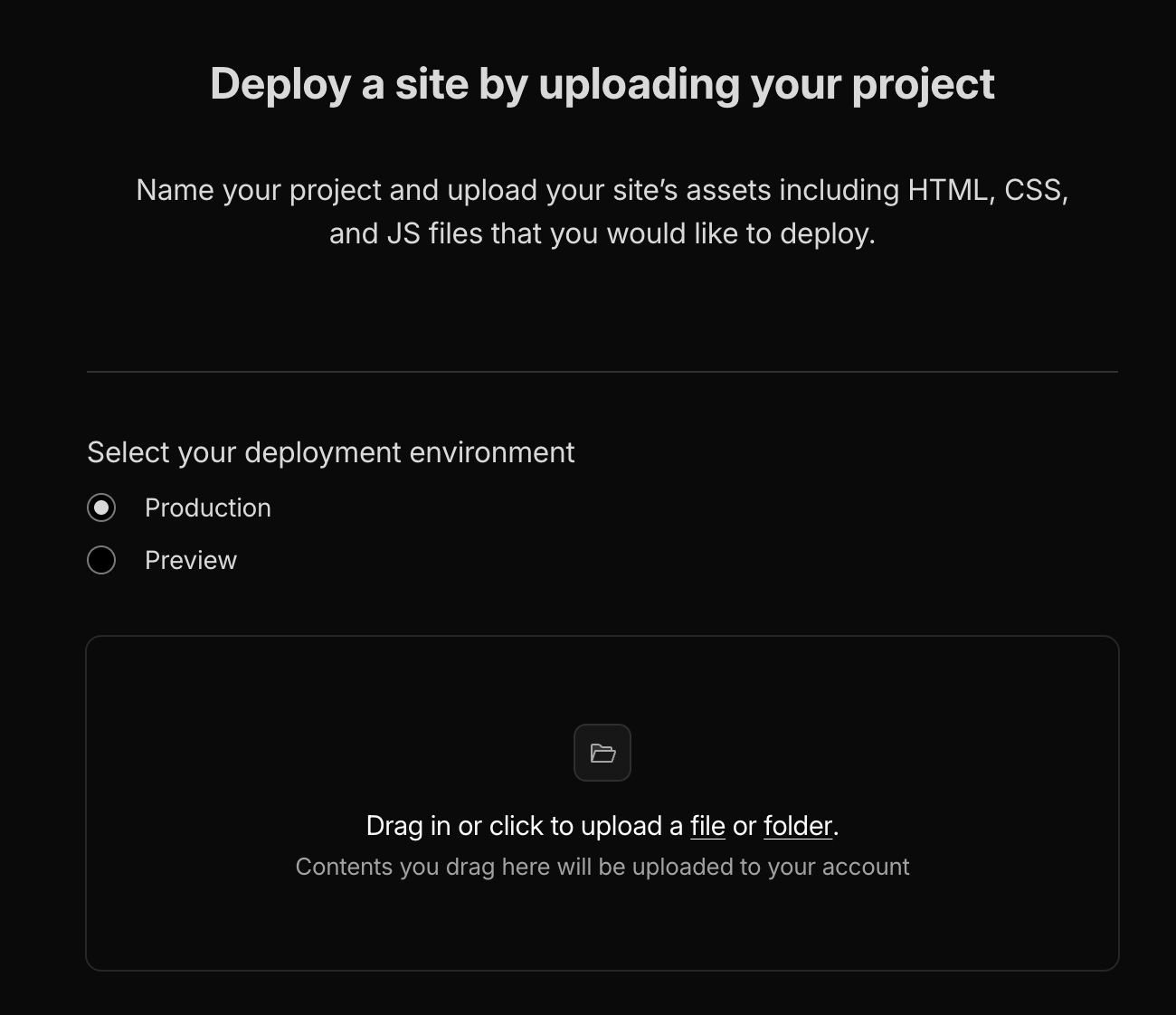
- Click through the Save Deployment button and you are done.
Creating addition posts
To create additional posts for your site you add a markdown file to the _posts directory and re-publish the site. The files require a special naming structure and front-matter.
tree -L 1
.
├── _config.yml
├── _includes
├── _layouts
├── _posts # <== Markdown goes here
├── _site
├── 404.html
├── about.markdown
├── api
├── assets
├── functions
├── Gemfile
├── Gemfile.lock
├── index.markdown
├── node_modules
└── vendor
- Files must me named like
<yyyy>-<mm>-<dd>-<post-title>.md
Example:
_posts/2026-01-02-Serverless-Blog.md
The Front Matter of the markdown document needs to have a layout type of post, a title, and a date.
The categories are optional but helpful for slugs.
---
layout: post
title:  A Serverless Blog For Free
date:   2025-12-27 14:49:48 -0600
categories: Programming
---
<content below>
Conclusion
I hope you enjoyed this little tutorial on getting a free site running in Cloudflare using Jekyll to build the static content.
Its secure as there is no server to hack and all the content can be versioned in a git repo if you wanted to take it a step further.
Enjoy!